STEP 1
Upload
Drop PNG, JPEG, TIFF, WebP, PSD, PSB, EPS, AI, PDF or SVG — up to 500 MB a file. CMYK TIFFs are normalised to sRGB with their embedded ICC respected, and the iPhone “72 dpi” lie is auto-corrected before it wastes film.

DTF prepress software
DTF prepress software for print shops that print in-house: drop your artwork, auto-nest the sheet, get the white underbase right, and export files your RIP opens first try. Free tier, no card, runs in the browser.
TIFF · PNG · PSD spot channels · PDF → your RIP Free forever · no card Runs in the browser — nothing to install
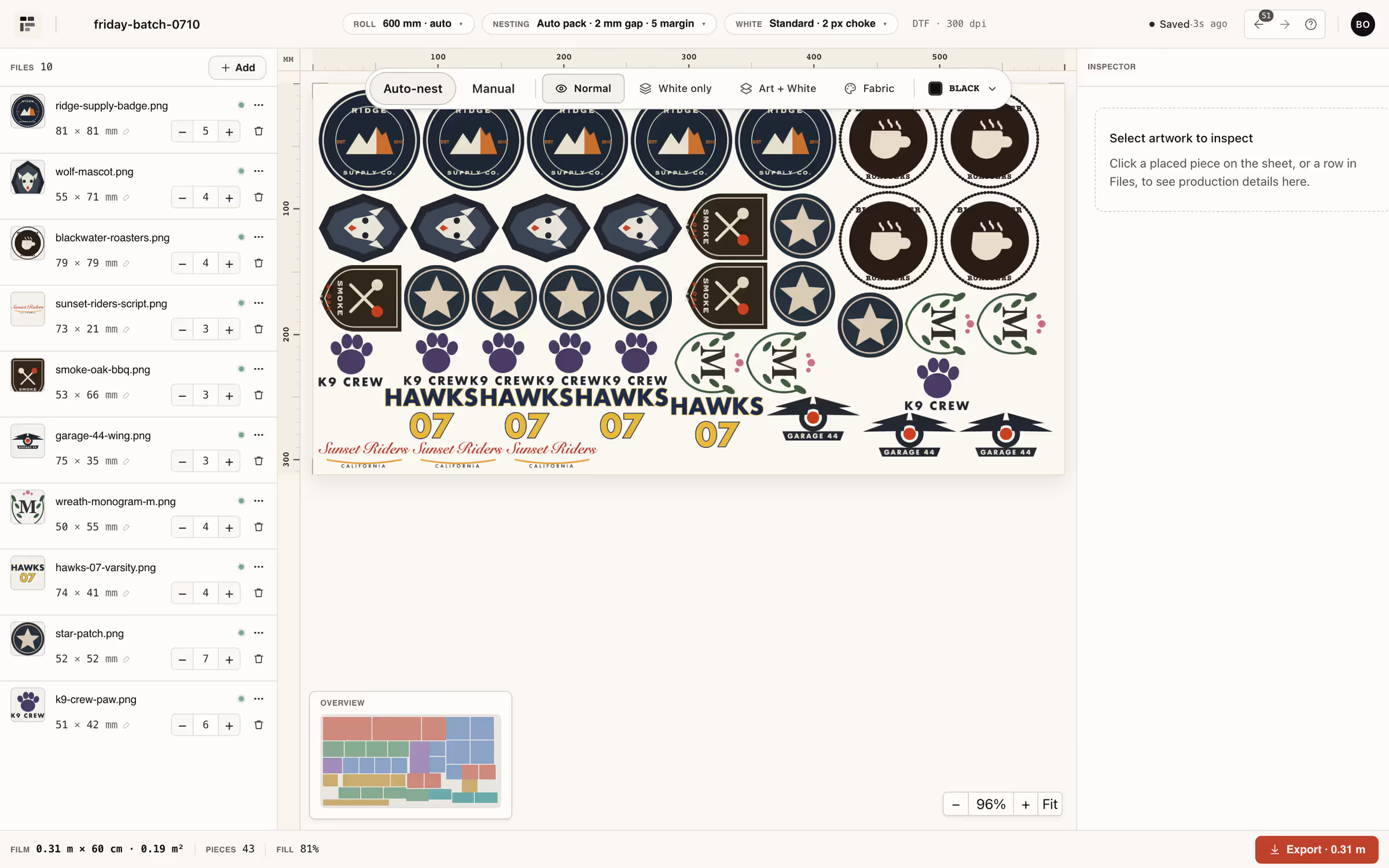
Auto-nesting
A MaxRects-family packer lays out the whole batch: rotation 0/90°, gap and margin control, auto sheet height. You drop the folder; it does the Tetris.


White underbase
White is derived from the artwork alpha with choke from 0 to 10 px (default 2), a hard threshold by default, plus soft-hand and halftone modes — and the preview shows the exact channel your RIP will receive.


RIP-ready export
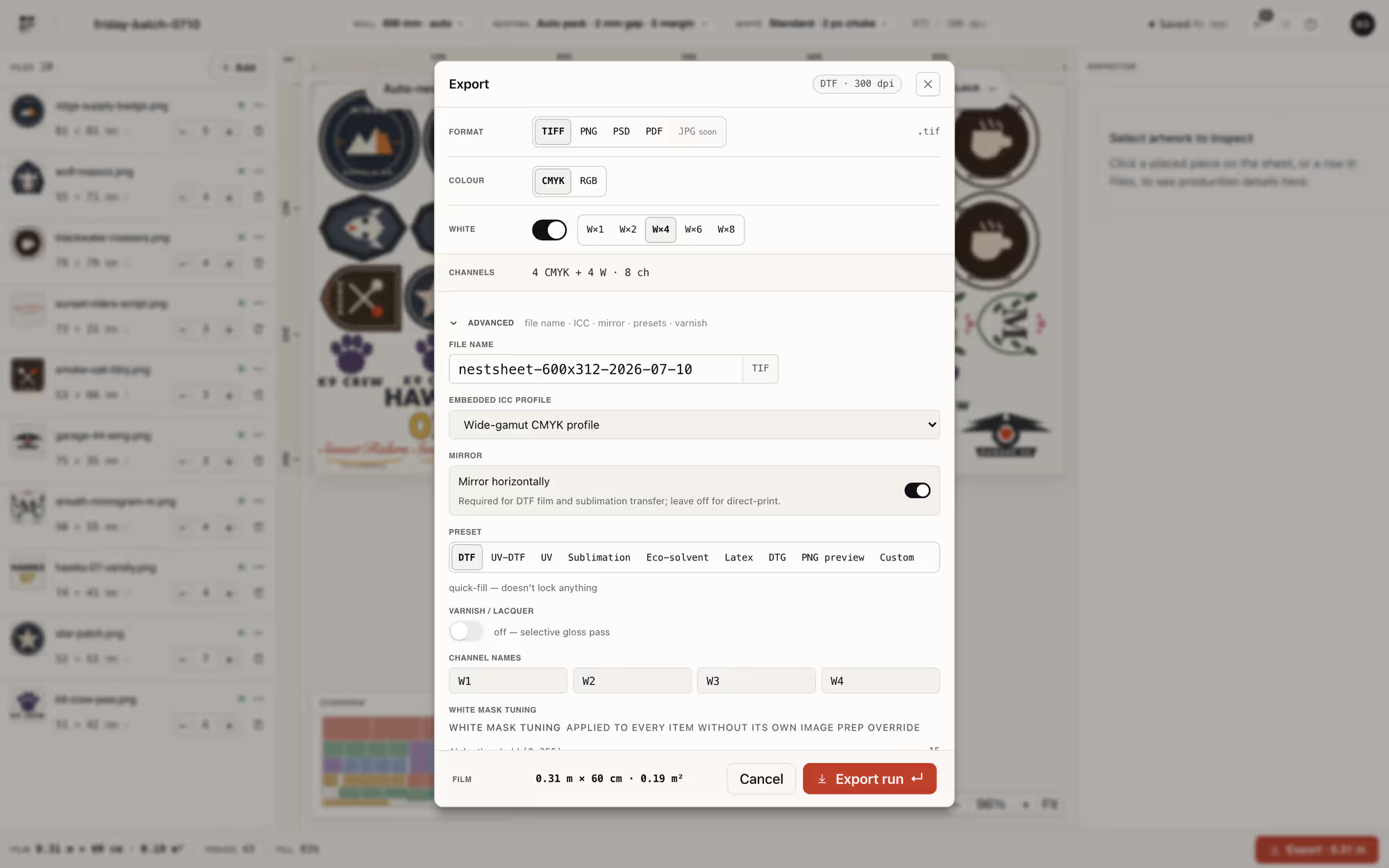
TIFF up to CMYK + 4 white + 4 varnish channels, PNG, PSD/PSB with real spot channels, PDF. Channels named W1–W8 / V1–V4 — renameable to whatever your RIP expects. Six presets in the box: MainTOP, CadLink Digital Factory, AcroRip, PhotoPRINT, SAi Flexi and Generic DTF.
How it works
Three steps, no Photoshop detour. Every screen below is the real product.
STEP 1
Drop PNG, JPEG, TIFF, WebP, PSD, PSB, EPS, AI, PDF or SVG — up to 500 MB a file. CMYK TIFFs are normalised to sRGB with their embedded ICC respected, and the iPhone “72 dpi” lie is auto-corrected before it wastes film.
STEP 2
Auto-nest is on by default: rotation 0/90°, 2 mm gap and 5 mm margin out of the box, roll presets from 300 to 1800 mm plus custom sheets up to 2000 × 10000 mm. The film math stays on screen while you work.
STEP 3
Pick a format and a RIP preset, hit export. Every render lands in your account history and stays downloadable for 72 hours — re-send the exact file the press ran.
Who it’s for
OPERATOR
You stand at the printer and own the prepress. NestSheet takes the layout, the white channel and the export naming off your hands — and shows quiet advisory warnings instead of red-alert theatre.
Use cases →SHOP OWNER
The film readout stays on screen in metres and m² while the sheet packs, so waste is visible before the printer runs — and the allowance is the m² you actually export, not an order count.
Put a price on the waste →Pricing
Metered in square metres you actually export — no per-order commission, no per-computer licence. Cancel any month.
$0/mo
30 m² exported per month
The complete product, with clean production output.
$49/mo
100 m² exported per month
The complete product, with clean production output.
$149/mo
500 m² exported per month
The complete product, with clean production output.
$399/mo
2,500 m² exported per month
The complete product, with clean production output.
NestSheet was built inside a working print shop. The packer, the white channel and the export presets exist because operators needed them on real Friday batches. We ship what works on the production floor.
FAQ
Drop a real order folder on the free plan and watch the sheet pack itself.
TIFF · PNG · PSD spot channels · PDF → your RIP Free forever · no card Runs in the browser — nothing to install