Etsy won’t let you embed a builder. You don’t need one — you need prepress.
For sellers who print their own DTF transfers: orders arrive through listings and messages, files arrive however customers made them, and the press is yours. NestSheet is the bench in between.
The situation
What this bench actually deals with.
Storefront gang-sheet widgets assume a storefront you control. An Etsy shop isn’t one: listings can’t host a third-party builder the way a standalone store can, so DTF sellers on marketplaces collect artwork the manual way — listing options, messages, email attachments, cloud-drive links.
If you then print those transfers yourself, the gap in your toolchain isn’t intake — Etsy already took the order. The gap is prepress: turning a folder of customer-made PNGs of every quality into a tightly packed roll with a correct white underbase and a file your RIP opens. That is the whole job NestSheet does.
No widget, no storefront plugin, no percentage of your sale — a bench in the browser between your inbox and your press.
Customer files are a lottery
Phone exports pretending to be 72 dpi, white backgrounds that were “removed” but left invisible pixels, screenshots instead of source art. Every one of them prints — badly — unless caught.
Orders arrive in pieces
Three listings, two message threads and a repeat customer’s email — one press run. The batch has to be assembled from wherever it landed.
Film is your margin
At marketplace prices, wasted film and reprints come straight out of the listing’s profit. The layout and the white have to be right before the press runs.
Step 1 · Collect & upload
Drop the files exactly as customers sent them.
Ten formats up to 500 MB a file. The iPhone “72 dpi” lie is auto-corrected instead of shrinking the art, real low-DPI files get flagged in the rail, and transparent padding is trimmed so you print the artwork, not the canvas.

Step 2 · Fix what customers sent
Repair files without opening an editor.
The Prep terminal fixes the marketplace classics in place: remove background, fix invisible pixels left by bad background removal, knock out colours, doctor fringes — as a reversible stack, original untouched.

Step 3 · Nest the press run
One batch from many orders, packed tight.
Per-file copy counts match your order list — ×3 of one listing, ×1 of another — and auto-nest packs them with rotation 0/90° on your roll, from 300 mm up. The m² readout tells you what the run costs in film before you commit.

Step 4 · Export for your RIP
White underbase and a file your RIP opens.
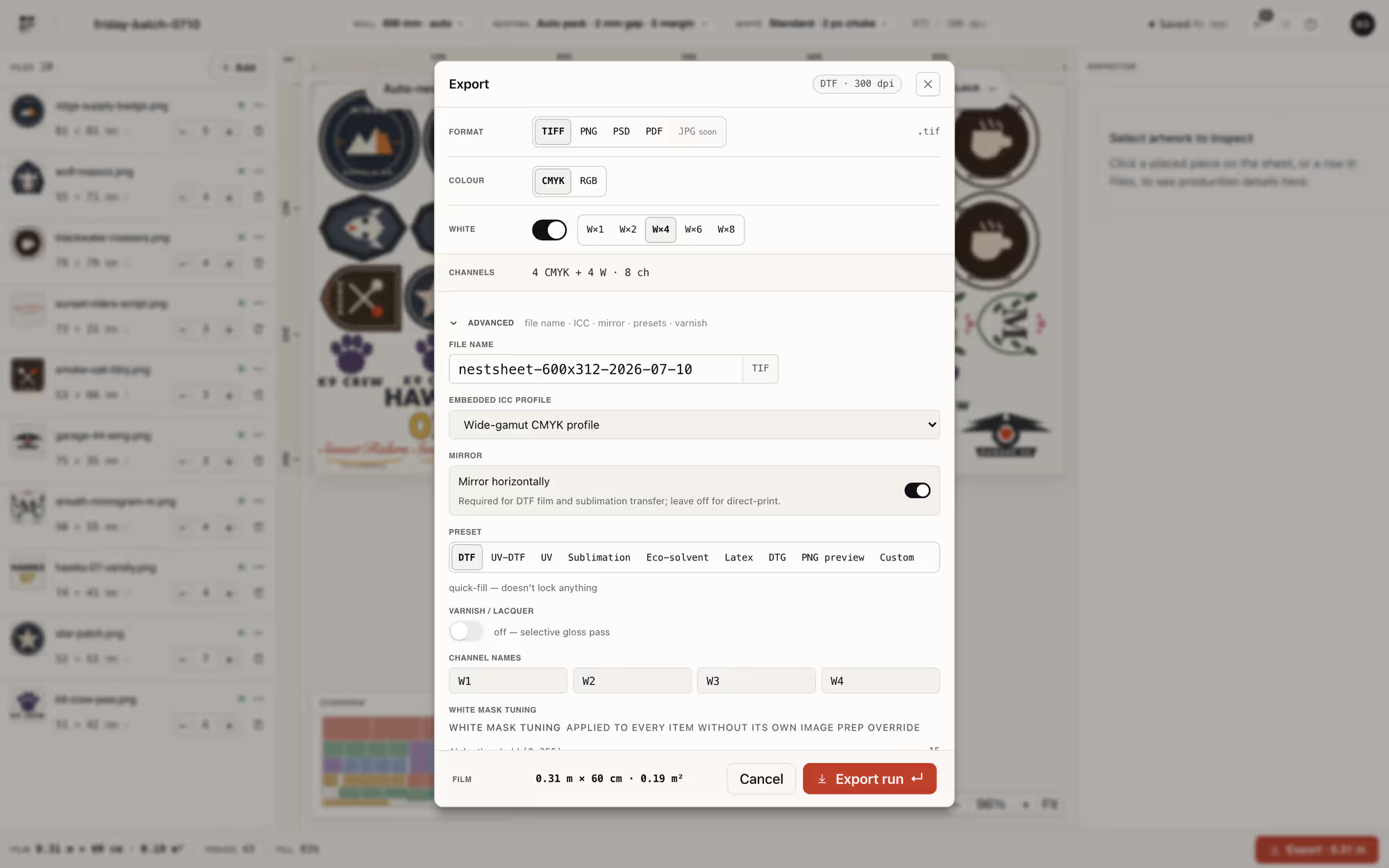
Alpha-derived white with choke (default 2 px), previewed before export; TIFF, PNG, PSD with real spot channels or PDF, with six RIP presets in the box. Every plan writes the same clean files; every finished render is re-downloadable for 72 hours.
What it costs
Which plan fits this shop.
Metered in exported m² (1 standard sheet ≈ 0.5 m²) — no percentage of your sale, no per-sheet fee, no per-computer licence. Full table on the pricing page.
Free
$0
30 m²/mo · about 60 average sheets
Starter
$49/mo
100 m²/mo · about 200 average sheets
Pro
$149/mo
500 m²/mo · about 1000 average sheets
Related reading
From the blog.
FAQ
The practical questions.
Is this an Etsy app or integration?
My customers send terrible files. How much does that actually matter?
Do I have to buy a plan to see if it fits my shop?
What roll widths work for a small setup?
Etsy is a trademark of Etsy, Inc. NestSheet is not affiliated with or endorsed by Etsy and does not connect to it.